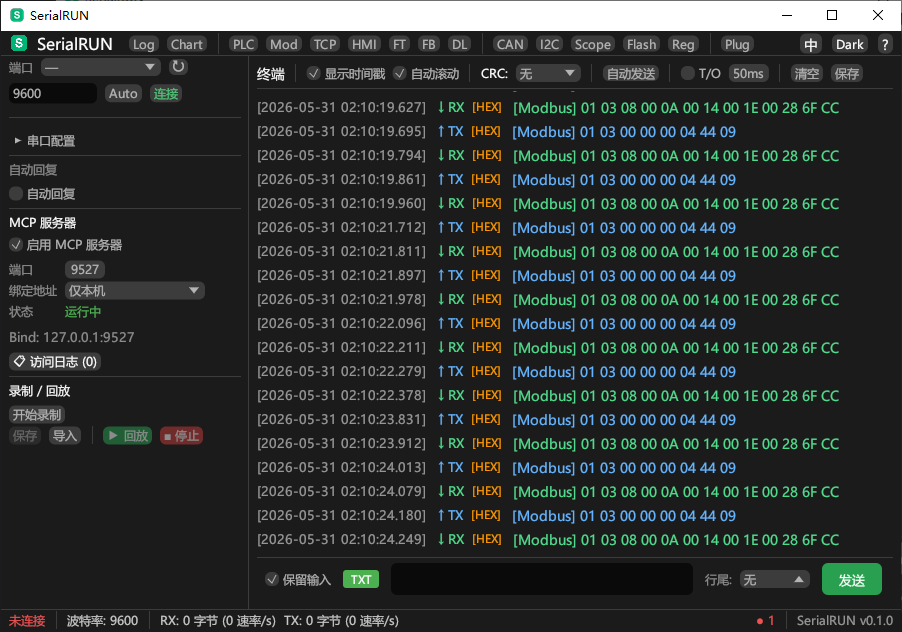
Serial Communication
TX/RX with HEX/TEXT mode, timestamps, CRC checksums, auto-send, DTR/RTS control. Custom baud rates up to 3,000,000.
Professional Serial Port Debugging Assistant
All-in-one tool for serial communication, Modbus debugging, PLC control, CAN bus analysis, I2C/SPI, firmware flashing — with built-in MCP server for AI integration.
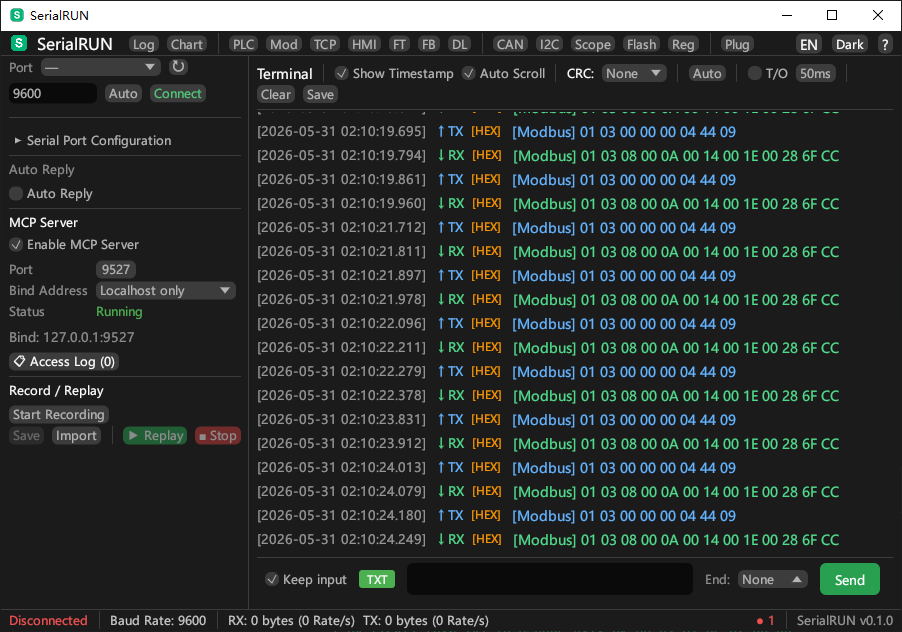
From simple AT command testing to complex Modbus/PLC protocol analysis
TX/RX with HEX/TEXT mode, timestamps, CRC checksums, auto-send, DTR/RTS control. Custom baud rates up to 3,000,000.
Quick register read/write, 8 function codes, configurable response timeout, register monitoring with auto-polling.
Siemens, Mitsubishi, Delta, Omron presets. Batch register read, inline editing, real-time data freshness indicators.
Bridge Modbus TCP clients to serial RTU devices. Connect SCADA/HMI software to your serial devices over network.
Built-in Model Context Protocol server. Let AI assistants control your serial devices via TCP. 23 tools available.
Scan and read/write I2C/SPI devices. CAN bus frame capture and analysis with SLCAN protocol support.
Real-time data rate charts, oscilloscope waveform display, data logging to CSV with timestamps.
STM32 ISP and ESP32 serial flashing. XMODEM/YMODEM/ZMODEM file transfer with progress tracking.
SerialRUN includes a built-in MCP (Model Context Protocol) server that allows AI assistants to remotely control your serial devices.
// Connect AI to your serial device
const client = new MCPClient("127.0.0.1", 9527);
await client.call("connect", {
  port: "COM4", baud_rate: 115200
});
const res = await client.call(
  "send_command", { command: "AT+RST" }
);All panels run as independent OS windows — drag, resize, and arrange freely
Each panel (Modbus, PLC, Log, etc.) is a separate OS window that can be moved anywhere on screen.
Protocol panels stay above the main window — never lose your tools behind the terminal.
Terminal toolbar adapts to window size — controls wrap automatically, nothing gets clipped.
Source available under BSL 1.1. Build from source for any platform.

Early release. Some features are not fully tested yet. Feedback and feature requests are welcome on GitHub Issues!
Have an idea or found a bug? Open an issue on GitHub and let's make SerialRUN better together.
Open IssueQuestions, suggestions, or just want to say hi? Start a discussion on GitHub.
Join DiscussionIf SerialRUN helps your work, consider supporting the project.
 WeChat Pay
 Bitcoin